Accessing the DNS Management Panel
This DNS manager requires the domain to be registered with Nubius Solutions.
To manage DNS records using the free DNS manager addon, follow these steps:
-
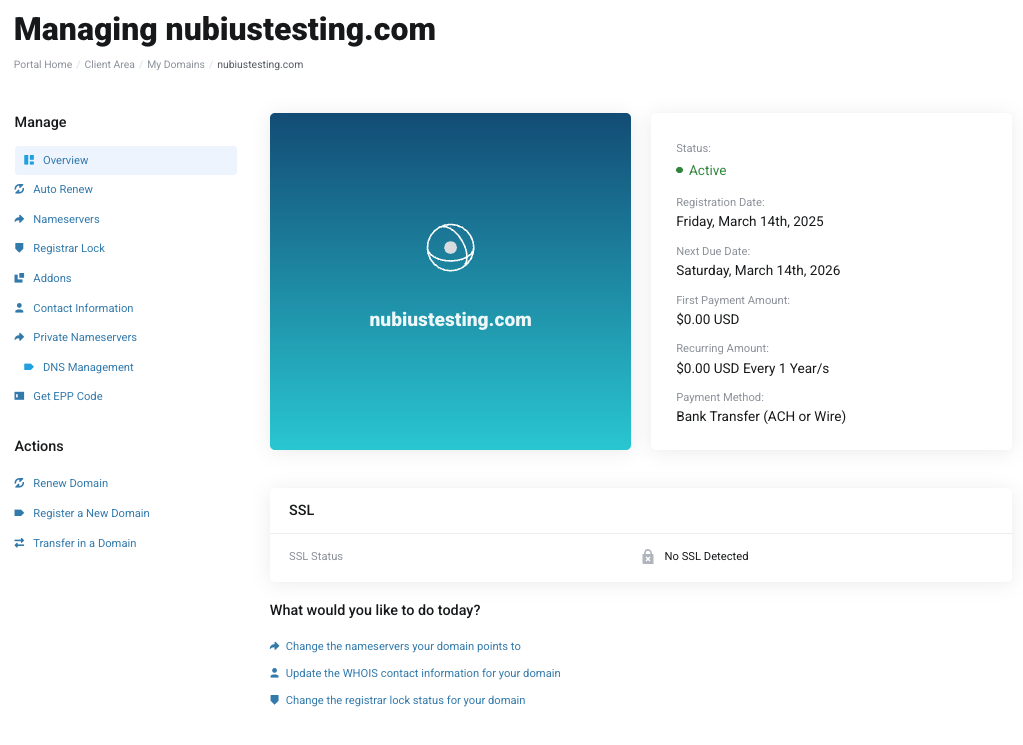
Log in to the Nubius Customer Portal.
-
Navigate to Domains → My Domains.
-
Click on the domain you want to manage.
-
On the left-side menu, select DNS Management.
-
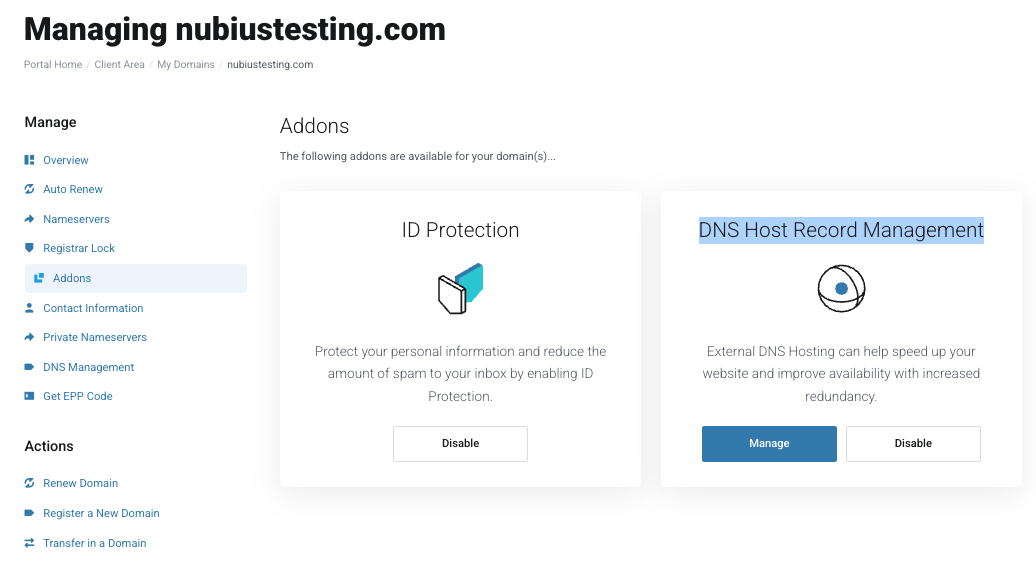
If the option is not enabled, it means the addon is not active.
-
To activate it, go to Addons in the left menu and enable DNS Host Record Management.
-
Adding a New DNS Record
Once in the DNS Management section:
-
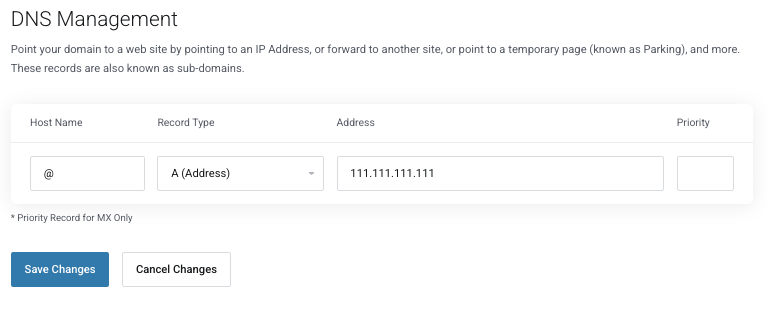
Select the record type from the dropdown menu (A, CNAME, MX, TXT, etc.).
-
Enter the hostname (use @ for the root domain).
-
Enter the record value (IP address, target hostname, or relevant data).
-
Click Save Changes to apply the record.
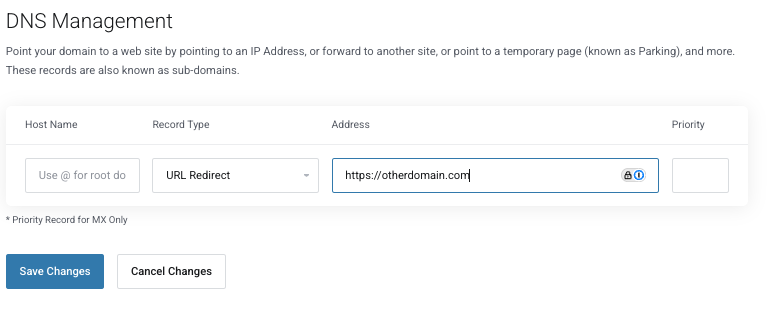
Using URL Redirects and Frames
You can also set up a URL Redirect or URL Frame:
-
URL Redirect: Forward traffic to a different website (e.g., example.com → newsite.com).
-
URL Frame: Keeps the original domain visible in the browser while displaying content from another website.
Important: If you want a full redirect (where the URL changes completely), contact support@support.nubius.io to modify the settings in the backend.
They system will automatically add multiple records required for the URL Redirect to work, those will point to a server where the redirect is handled. Do Not remove the records, otherwise the redirect won't work.
Removing a URL Redirect or Frame
-
URL Redirects and Frames cannot be removed from the UI.
-
To remove them, contact support@support.nubius.io and request removal from the backend.
Removing a DNS Record
-
Locate the record you want to delete.
-
Clear the text fields for that record.
-
Click Save Changes – this will automatically remove the record.
Upgrading to a More Advanced DNS Manager
If you require a more sophisticated DNS management solution, consider upgrading to Nubius Basic DNS (Free Plan) from our store.
-
For domains not registered with Nubius, the free Nubius CloudShield Basic DNS plan can be used instead.
For assistance, contact support@support.nubius.io.