Choosing the Right Domain Name
Selecting the perfect domain is crucial for branding, visibility, and SEO. Here are some best practices:
1. Keep It Short & Simple
-
A short and easy-to-remember domain is best.
-
Avoid complex words, numbers, or special characters.
2. Use Keywords
-
Incorporate relevant keywords that describe your business or industry.
-
Helps with search engine rankings (SEO).
3. Choose the Right Extension
-
.com is the most popular and trusted extension.
-
Consider .net, .org, or country-specific domains (.us, .ca, .uk) based on your audience.
4. Avoid Trademarked Names
-
Ensure your domain name does not infringe on existing trademarks.
-
Use domain availability and trademark search tools before registering.
5. Make It Brandable
-
Unique and memorable domains stand out.
-
Avoid names that are too generic or difficult to pronounce.
6. Secure Similar Domains
-
If possible, register common misspellings or variations of your domain to prevent competitors from using them.
-
Helps protect your brand.
7. Think Long-Term
-
Choose a name that allows your brand to grow.
-
Avoid trends that may become outdated quickly.
For assistance with domain registration, reach out to Support via the Nubius Customer Portal
How to Register a New Domain
Registering a domain with Nubius Solutions is simple and can be done in multiple ways:
1. Search for a Domain Name
You can check domain availability using any of the following options:
-
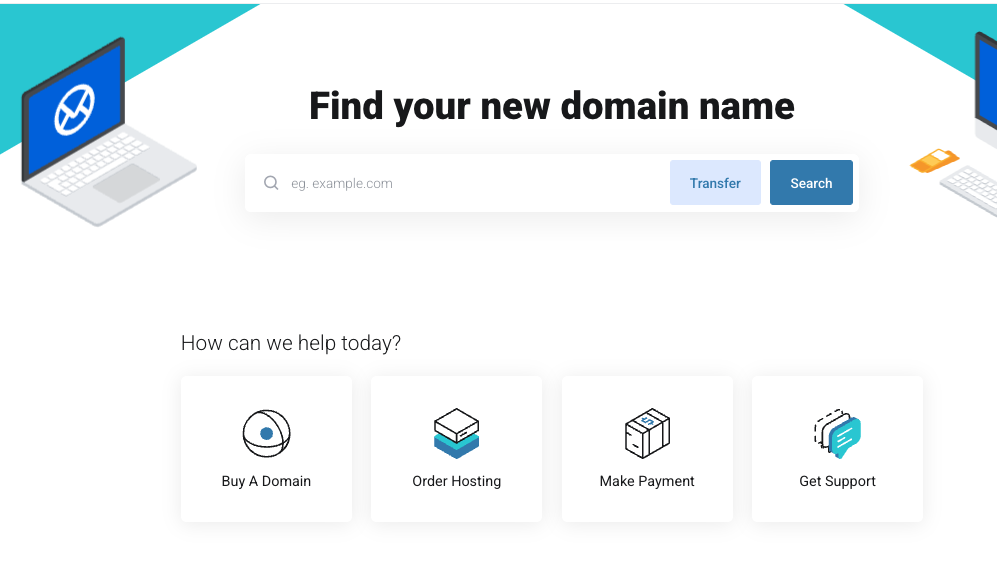
Visit portal.nubius.io and use the Find Your New Domain Name search form.
-
Click on Buy a Domain under the How Can We Help Today? section.
-
Go to Store → Register a New Domain.
2. Add the Domain to Your Cart
-
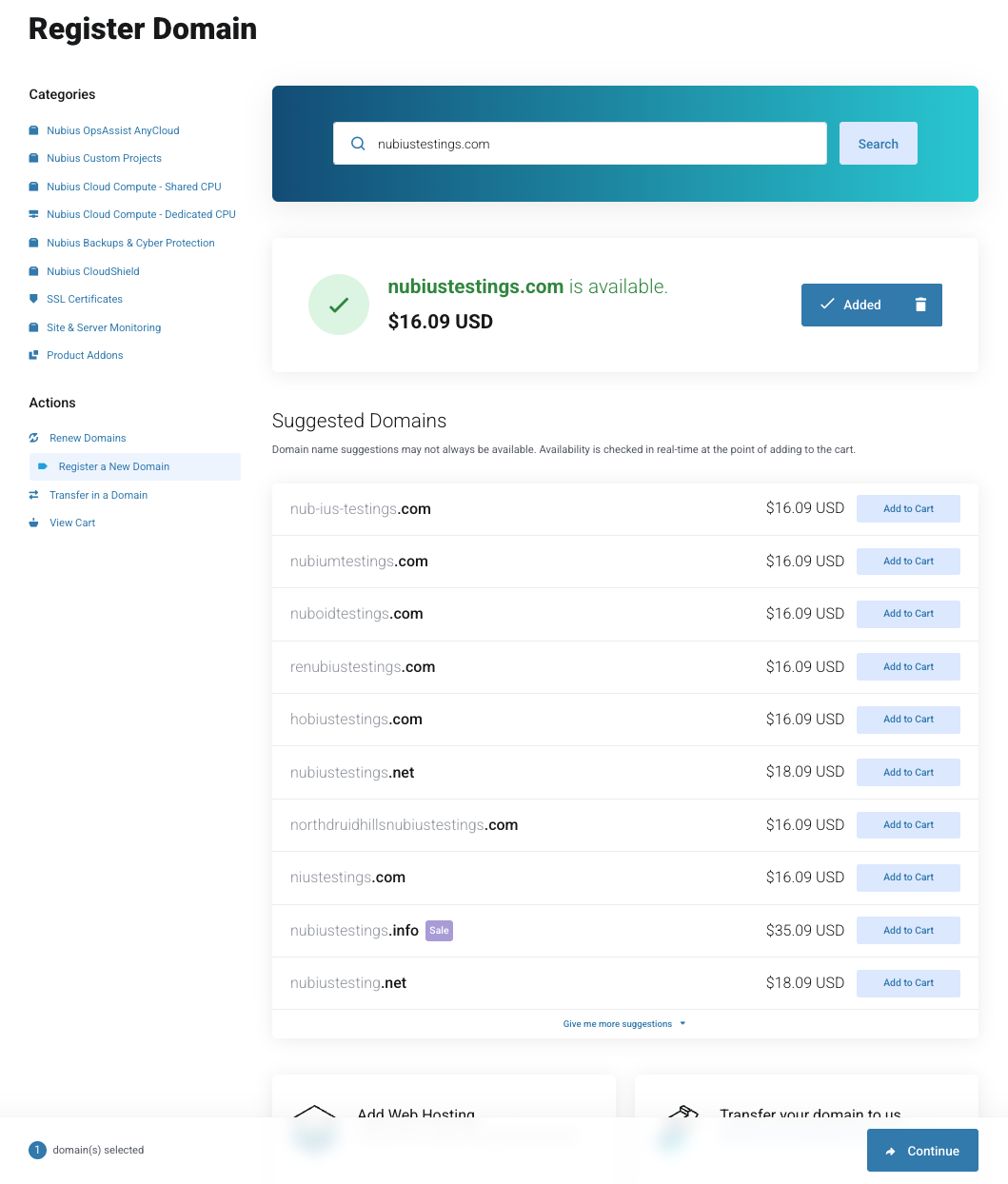
Once you find an available domain, click Add to Cart.
-
You will also receive domain suggestions that you can add to your cart if desired.
-
Click Continue at the bottom of the page.
3. Configure Your Domain
-
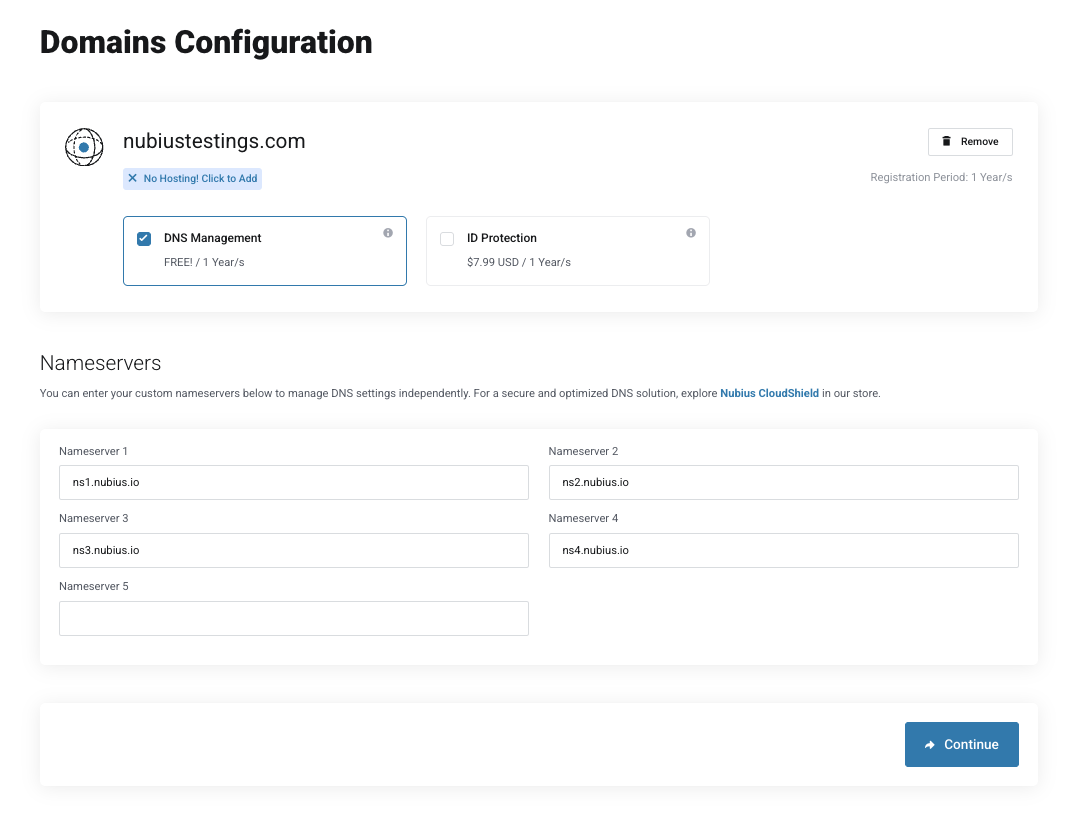
The system will prompt you to enter custom name servers (if using an external provider). We offer free DNS Management with our registrar; if you want basic DNS management, make sure to select the add-on option.
-
The Nameservers listed are the ones used by the free DNS Management
-
ID Protection is also available as an add-on.
-
-
If you plan to use Nubius CloudShield, leave the default nameserver, and leave the DNS Management Unchecked.
-
You can purchase Nubius CloudShield from the store separately and update the name servers later to use Cloudflare’s protection. We also offer a free basic DNS option from Cloudflare that you can get from the store.
-
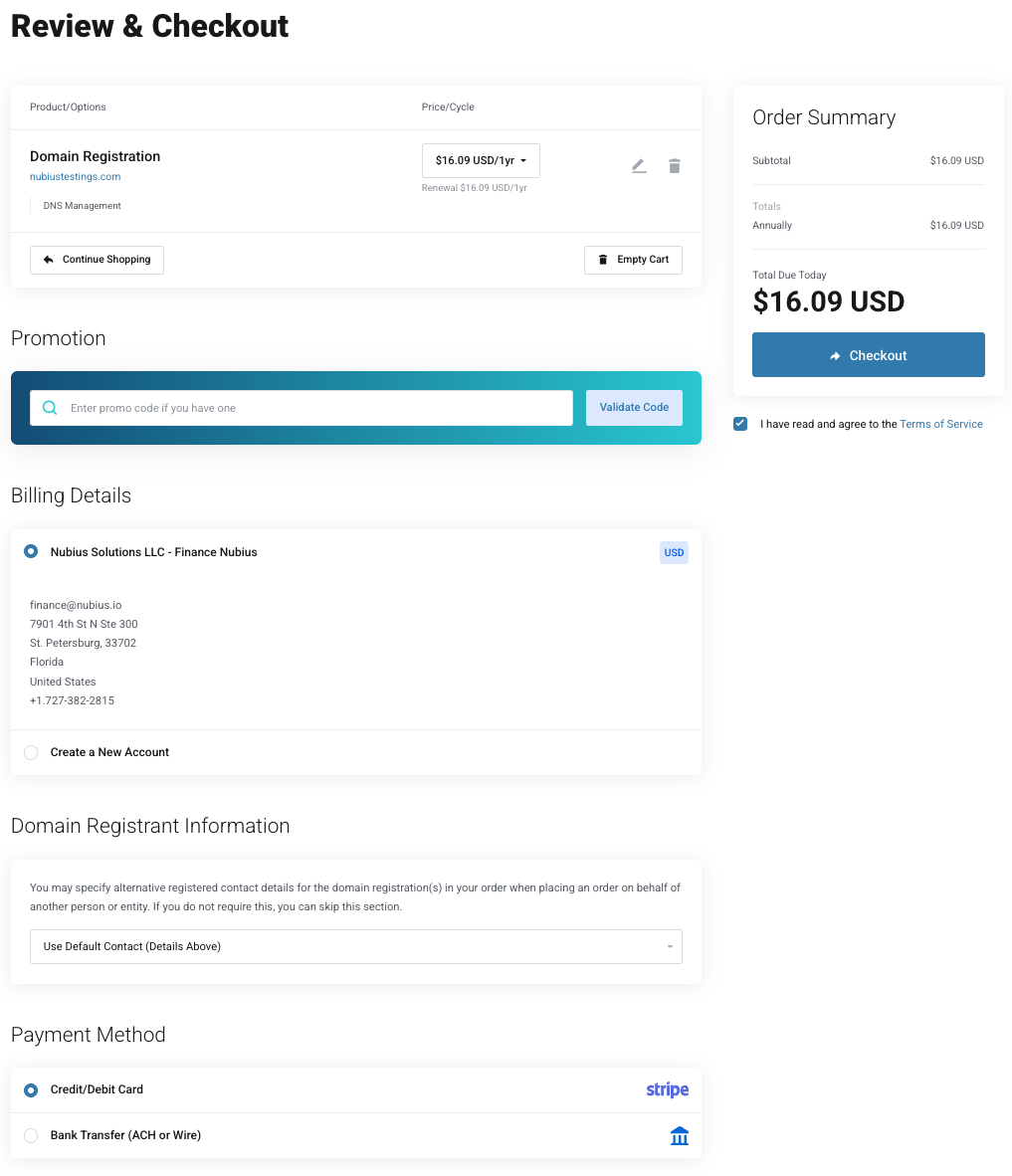
4. Complete the Checkout Process
-
If you already have an account, log in.
-
If you are a new customer, create an account.
-
Select your payment method.
-
Check I have read and agree to the Terms of Service.
-
Click Checkout to finalize the domain registration.
5. Managing Your Domain
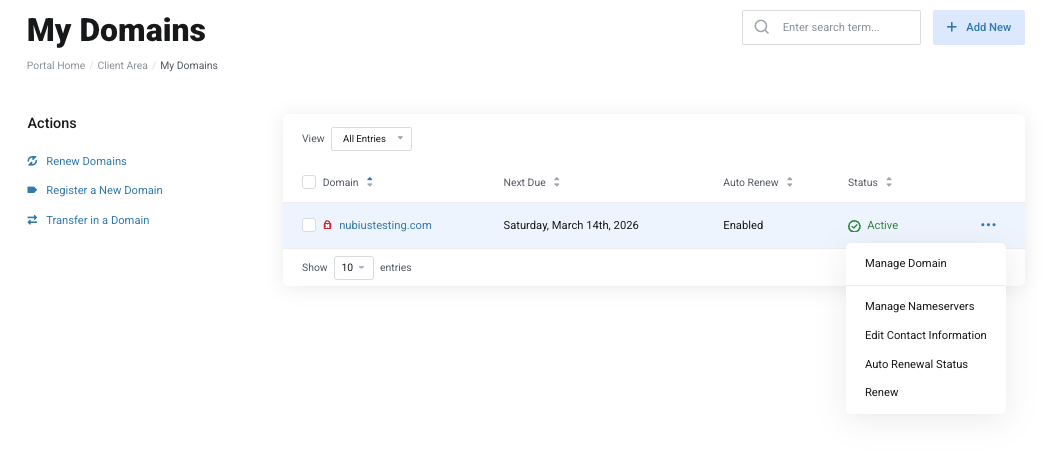
Once registered, you can manage your domain from:
-
Domains → My Domains in the Nubius Customer Portal.
-
Here, you can update the Nameservers, renew domains, and manage domain settings.